Mounting Your Device To Your AssetUpdated 2 months ago
Assets vs. Devices
An asset is the physical item you are protecting, whereas a device is an ASSURIoT tracker.
For example:
- Your car is an asset
- The tracker you hide in your car is a device
The Mounting Kit
Your ASSURIoT tracker comes with a mounting kit to attach your device to your asset. The mounting kit includes:
- 3M Command Strips
- Adhesive hook-and-loop panels
- Alcohol-based prep pads
Where to Hide Your Device
The ASSURIoT tracker's small size allows it to be stored in places that are difficult for a thief to locate. We recommend storing it somewhere dry and easy to access for when you eventually need to recharge.
We don't expect the metal exterior of your car to block your device's GNSS/GPS tracking. If you're experiencing tracking issues, see our guide on Troubleshooting Location Accuracy.
We don't recommend storing your device on the bottom of your vehicle. This is to prevent the device from being lost or damaged.
Which Side of the ASSURIoT Tracker to Attach the Mounting Hardware to
For your ASSURIoT tracker to charge, the device's back side (the white face with QR codes) must sit flush with the charging pad. If you attach mounting hardware to the side of your device with QR codes, then it will not be able to charge without removing the mounting hardware.
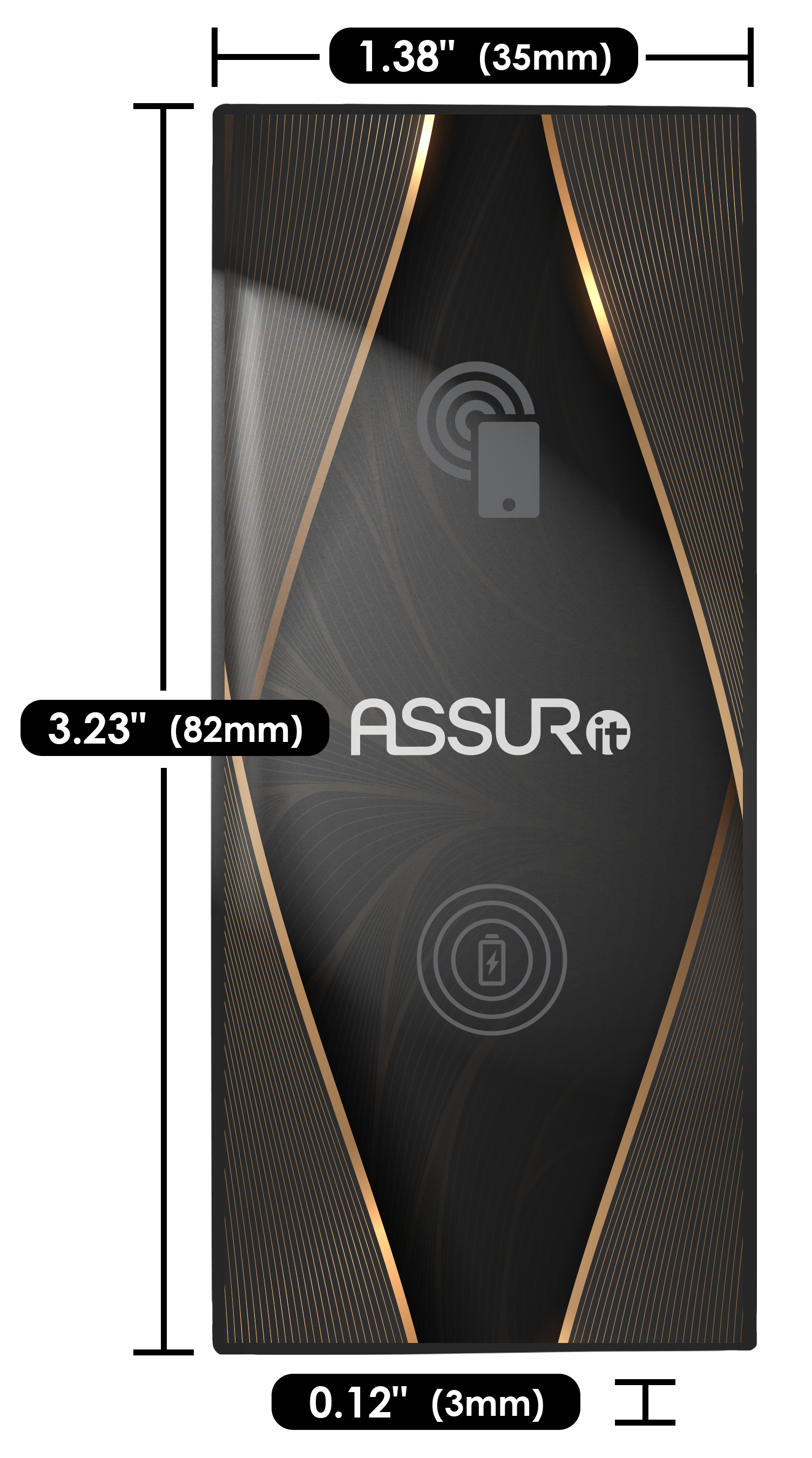
For this reason, we always recommend attaching your mounting hardware to the logo side of your device.
See the Device Charging Guide for more information.
How To Attach The Mounting Hardware
- Use the alcohol-based prep pads to clean your device and asset surfaces.
- Select either the 3M Command Strips or hook-and-loop panels.
- If you select the Command Strips, separate the two strips from each other.
- Remove the backing from your selected mounting hardware.
- Press the adhesive side firmly into your device.
- Repeat with the second attachment point on your asset.
- Firmly press the strips together to mount your device securely.
Need More Mounting Hardware?
Contact us to request additional mounting kits.
Device Dimensions
0.12" (3mm) x 1.38" (35mm) x 3.23" (82mm)